
CAD-Lisp support for Geany

CAD-Lisp support for Geany
The Geany editor provides built-in support for a large number of programming languages. CAD-Lisp can easily be added.
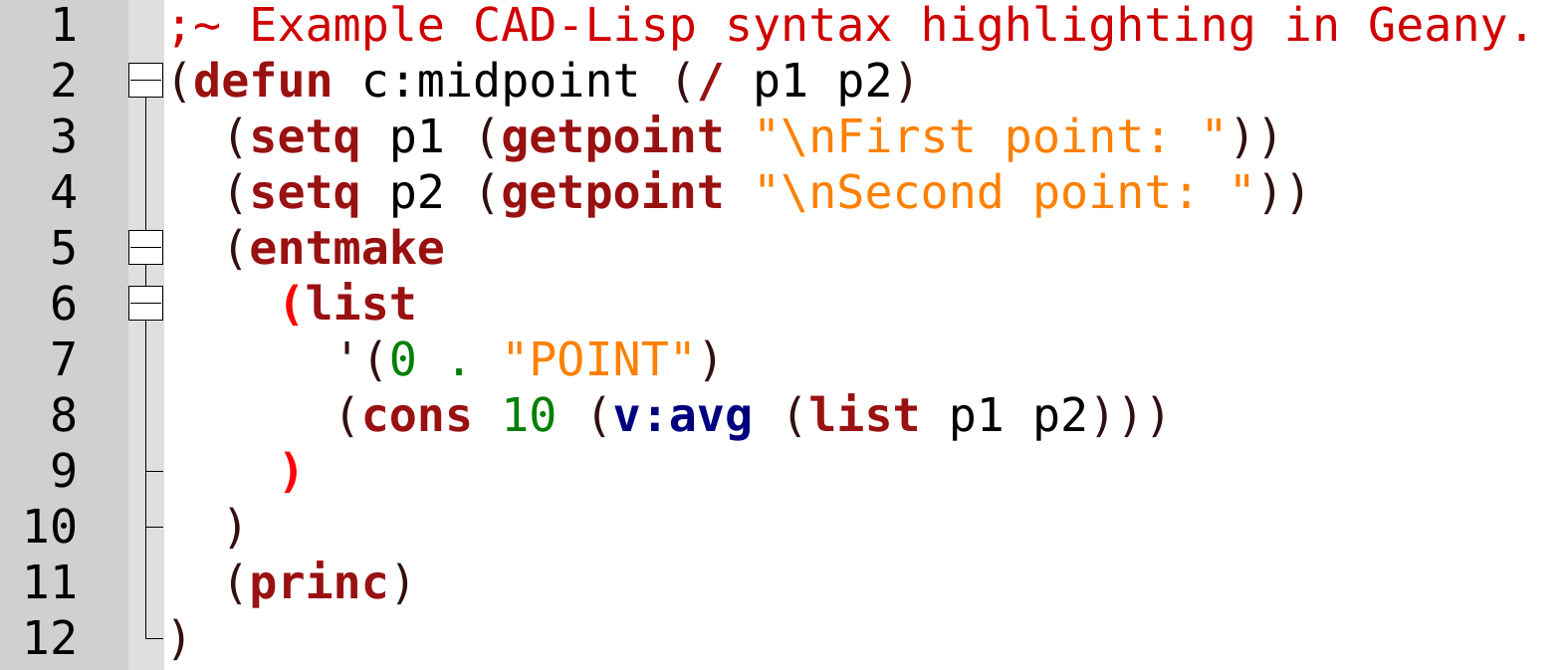
The supplied CAD-Lisp lexer contains an impressive 4000 keywords, built-in functions, variables and CAD-specific symbols, providing extensive syntax highlighting for both AutoCAD and BricsCAD development.
This article contains the required file and describes the configuration and useful tips.
About Geany
- Available for Linux, macOS and Windows
- A cross-platform alternative to Notepad++
- The same workflow on all platforms
- Free software (GPL)
- Actively maintained
- Lightweight and fast
About CAD-Lisp
- Lisp for AutoCAD and BricsCAD
- Different from other Lisp dialects
- Its own keyword list for syntax highlighting (lexer)
Features
- Crisp font rendering
- Keywords in maroon, custom functions in blue
- Variables, strings, numbers and comments in distinct colors
- Visible bracket matching in red, bold.
Installation and configuration
- Download
filetypes.CAD-Lisp.conf(save as ...) - Geany configuration directory:
- Windows:
%appdata%\Geany - Linux:
~/.config/geany
- Windows:
- Place
filetypes.CAD-Lisp.confin thefiledefsdirectory - Edit
filetype_extensions.conf(if it is missing, copy it from%ProgramFiles%\Geany\datato%appdata%\Geany).- Add
CAD-Lisp=*.lsp;*.dcl;to the[Extensions]section. - For versions prior to
Geany 2.1: addScript=CAD-Lispto the[Groups]section.
- Add
That is all. For additional configuration, continue below.
Tips
Restart Geany after changing the configuration files.
Install the Geany plugins package
Some useful features are provided by the Geany plugins package. Download and install the package from the Geany website, use your Linux distribution repository, or install it through your preferred package manager: https://geany.org/download/releases/
Recommended plugins:
- Line Operations
- Extra Selection
- Auto-mark, see remark below
Mark all occurrences
Auto-mark automatically highlights occurrences of the word at the text cursor in the visible part of the document. To expand the highlighted selection to all occurrences in the current document, press Ctrl+Shift+M (Search → More... > Mark All). In other words, these two mechanisms can complement each other in a useful way. Users coming from Notepad++ may find this particularly useful.
Clearer brace matching
Matching and mismatching braces can be highlighted more clearly. Edit filetypes.common and add or change these lines in the [named_styles] section:
brace_good=0xff0000;0xFFFFFF;true;false
brace_bad=0xff0000;0xFFFFFF;true;false
Select between matching braces
With the Extra Selection plugin enabled, open: Edit → Preferences → Keybindings
Assign a shortcut to: Extra Selection -> Select to Matching Brace
Suggested shortcut: Ctrl+Alt+B
Improve font readability
DejaVu Sans Mono - often default in Linux - is clearer and more readable than the default Windows monospace fonts, especially during long coding sessions. Download and install the font: https://dejavu-fonts.github.io/
In Geany, open: Edit → Preferences → Interface → Fonts and select: DejaVu Sans Mono Normal
Courtesy
CAD-Lisp wordlist by Torsten Moses.